
Blur everything.Reveal only what matters.
Share screenshots fast — without leaking sensitive data.
BlurSnap automatically blurs your screenshot the moment you take it, so sensitive information — passwords, emails, account numbers — is hidden by default. Simply paint over the parts you want to reveal; everything else stays redacted. Works on anything on your screen — code, dashboards, chats. Fast, private, and no external editor required.
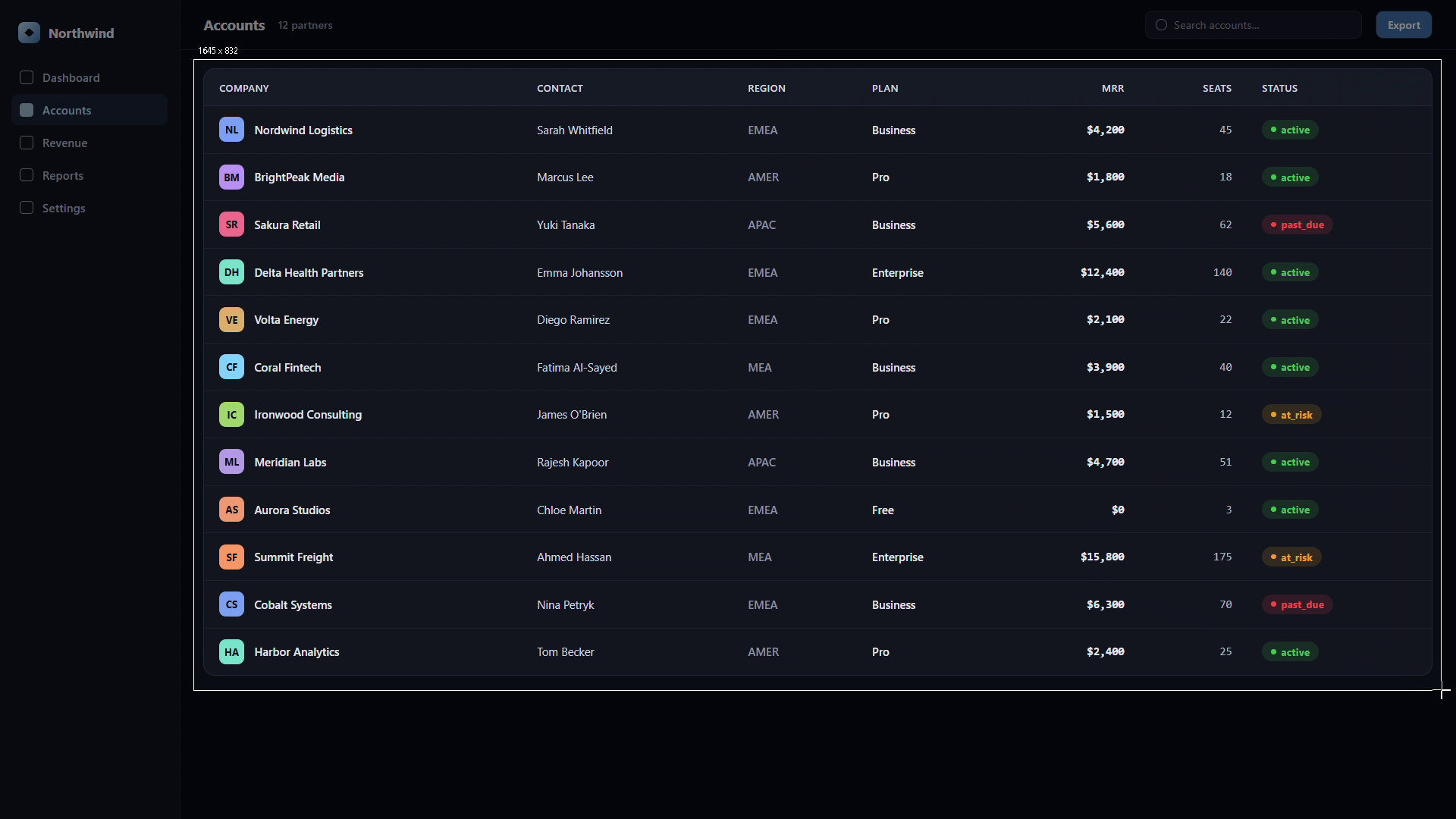
Press the hotkey, then select an area
Hit Ctrl+Shift+B (or your custom shortcut) from anywhere, then drag to select the part of your screen you want to share. It opens in the editor with everything blurred, so sensitive data is hidden before you show a single pixel.
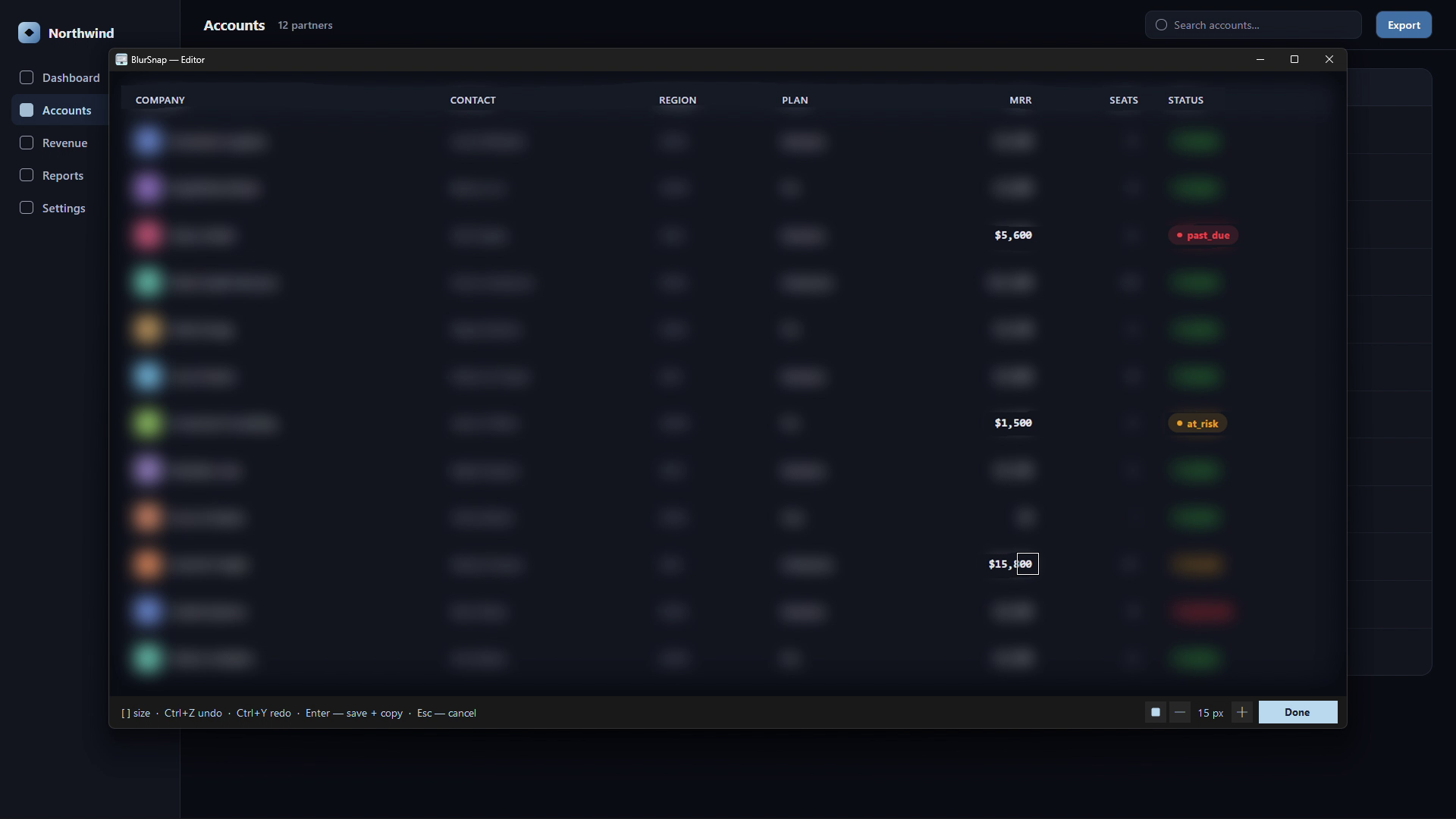
Paint to reveal the parts you need
Hold the left mouse button and brush over what you want to show. Adjust brush size and shape. Use Ctrl+Z to undo any brushstroke.
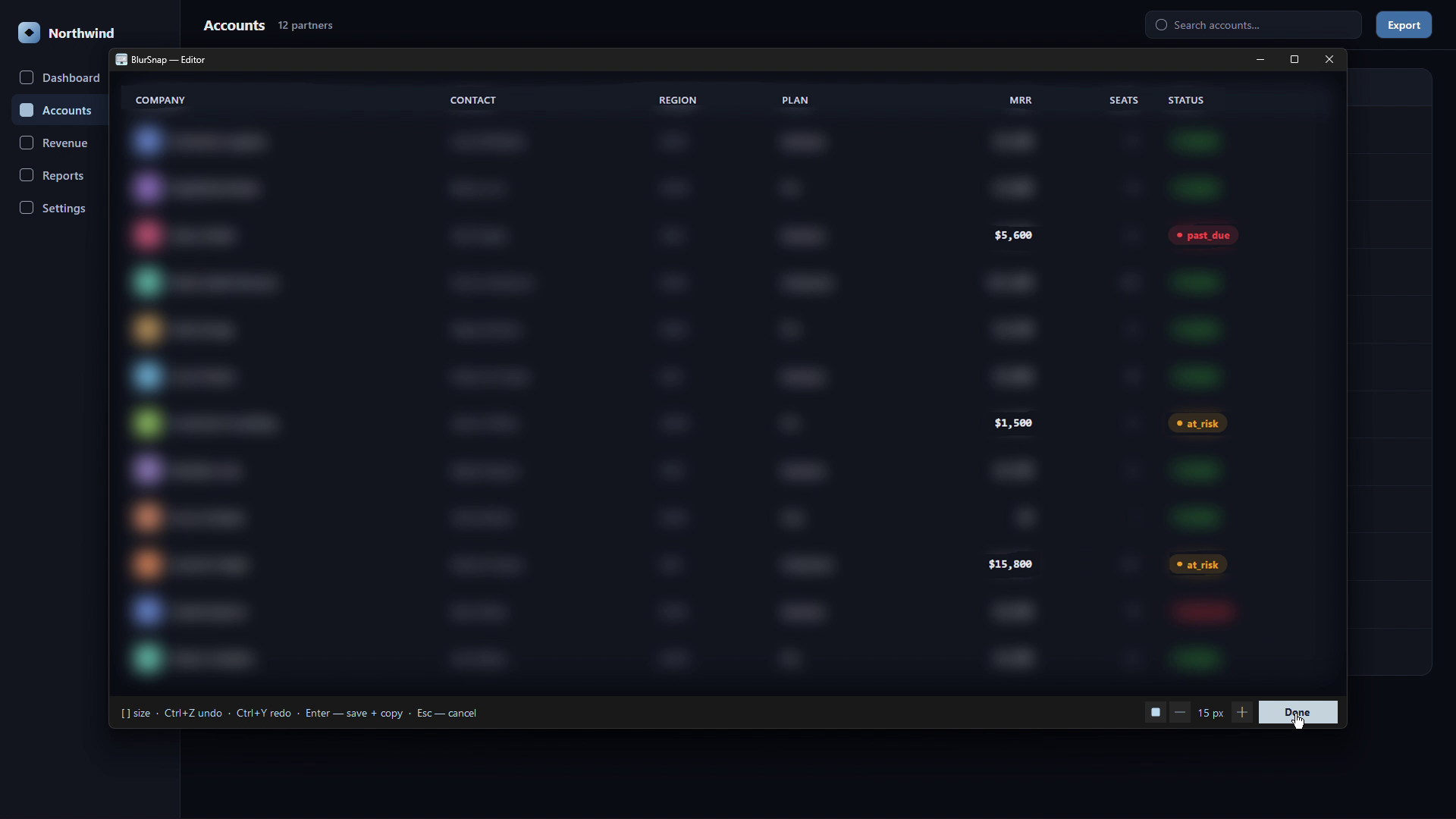
Press Enter — done
The result is saved to a folder and copied to your clipboard automatically. Paste it anywhere, instantly.
- Paint-to-reveal editor
- Hold-to-peek — see the original
- No cloud — files stay on your PC
- Works fully offline
- Global hotkey (customizable)
- Auto-copy & auto-save
- Adjustable brush size & shape
- Adjustable blur intensity
- Frosted glass mode (optional)
- Undo / Redo
- Saved images are watermarked
- 15 days — then unlock to keep capturing
- Paint-to-reveal editor
- Hold-to-peek — see the original
- No cloud — files stay on your PC
- Works fully offline
- Global hotkey (customizable)
- Auto-copy & auto-save
- Adjustable brush size & shape
- Adjustable blur intensity
- Frosted glass mode (optional)
- Undo / Redo
- Clean output — no watermark
- No time limit — yours for good
- One-time payment — free updates for life
- Unlocks instantly inside the app